Integration

Streamline Your CAD Management with BricsCAD and 12d Synergy

BricsCAD and 12d Synergy offer your design team a governed CAD environment with options to automate title blocks, full check-in/check-out history on files with a clear audit trail, all without drastically changing how you work.

12d Synergy x BricsCAD
WHY IT MATTERS

Spend Less Time Managing Drawings and More Time Delivering Projects

12d Synergy runs inside BricsCAD, so your team keeps control of every file and version without leaving the drawing they're working in.

Get Hours Back Every Week Icon

Get Hours Back Every Week

Title block updates, spreadsheet tracking and clunky LISP routines eat into valuable design time. 12d Synergy takes that admin off your team inside BricsCAD, so the day goes to drafting instead of file management.

Never Lose Work to a Clash Icon

Never Lose Work to a Clash

12d Synergy's check-in/check-out prevents team members from overwriting each other's files and clearly shows who has what open, eliminating version confusion.

Track Every Change Icon

Track Every Change

Every check-out, edit and publish gets logged as it happens. If a drawing is ever disputed, you have the full history to point to instead of guessing through email and local drives.

HOW IT WORKS

How BricsCAD and 12d Synergy Work Together

BricsCAD integrates seamlessly with 12d Synergy providing a CAD Management system that allows you to edit, update, collaborate, track, and transmit drawings in a smarter way tailored for drafters and designers for the AEC industry.

Source of truth
12d Synergy

Governed, versioned, permissioned

Drawing_A1.dwgv4 latest
Drawing_A1.dwgchecked out
Check-outopens in BricsCAD, locked to you
through the 12d Synergy ribbon
Check-innew version + full audit, automatic
Where you work
BricsCAD

Native drafting,
no file juggling

12d SynergyThe 12d Synergy ribbon in BricsCAD

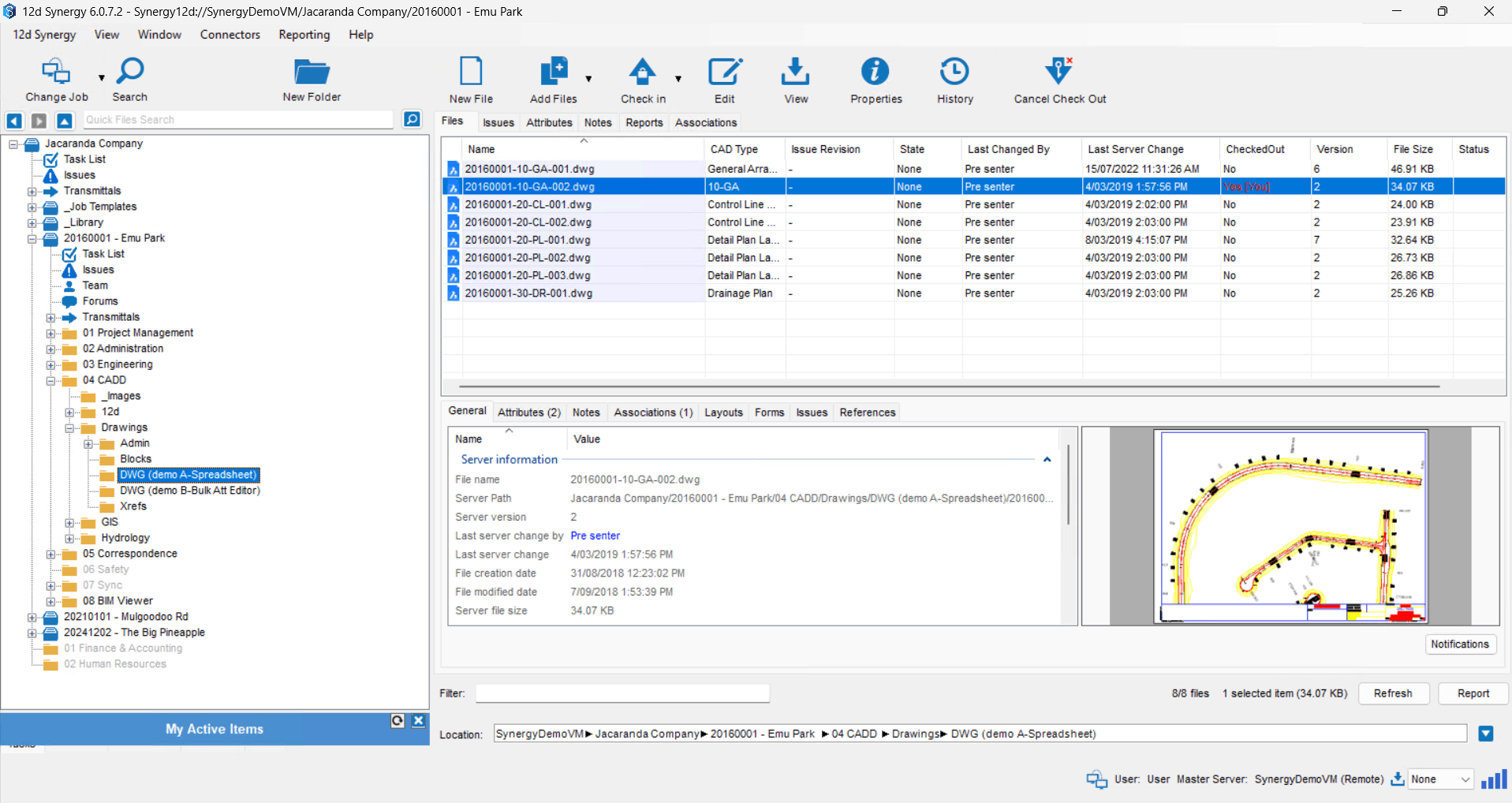
BricsCAD integrates directly with 12d Synergy’s Common Data Environment, giving your team a ribbon interface inside BricsCAD to manage check-in/check-out, add attributes, blocks and references without ever leaving your CAD environment.

KEY FEATURES

Everything Your Team Controls Inside BricsCAD

Pick a feature to see where it lives in the 12d Synergy ribbon and what it does.

Open & manage

Stay in sync

Track & protect

BricsCAD — Project_Drawing_A1.dwg
The 12d Synergy ribbon inside BricsCAD
Drawing & Model Management in BricsCAD

Drawing & Model Management

Open drawings straight from 12d Synergy, or save a local file into a governed location, with no manual file transfer.

Drawing Reference Manager in BricsCAD

Drawing Reference Manager

Manage every Xref in the drawing from one window, with full 12d Synergy governance behind it.

Optimise Publishing in BricsCAD

Optimise Publishing

Publish a drawing or a full set straight from 12d Synergy, with the check-out prompts handled for you.
Check-in / Check-out in BricsCAD

Check-in / Check-out

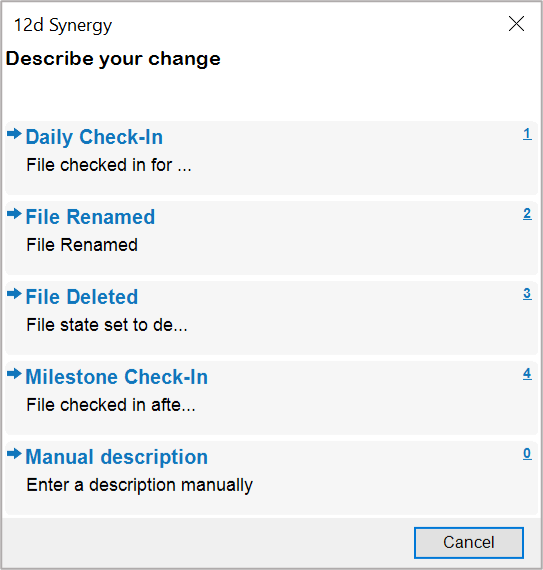
Lock a file while you work so no one overwrites it, and check it back in as a new version when you are done.
Insert & Refresh Attributes in BricsCAD

Insert & Refresh Attributes

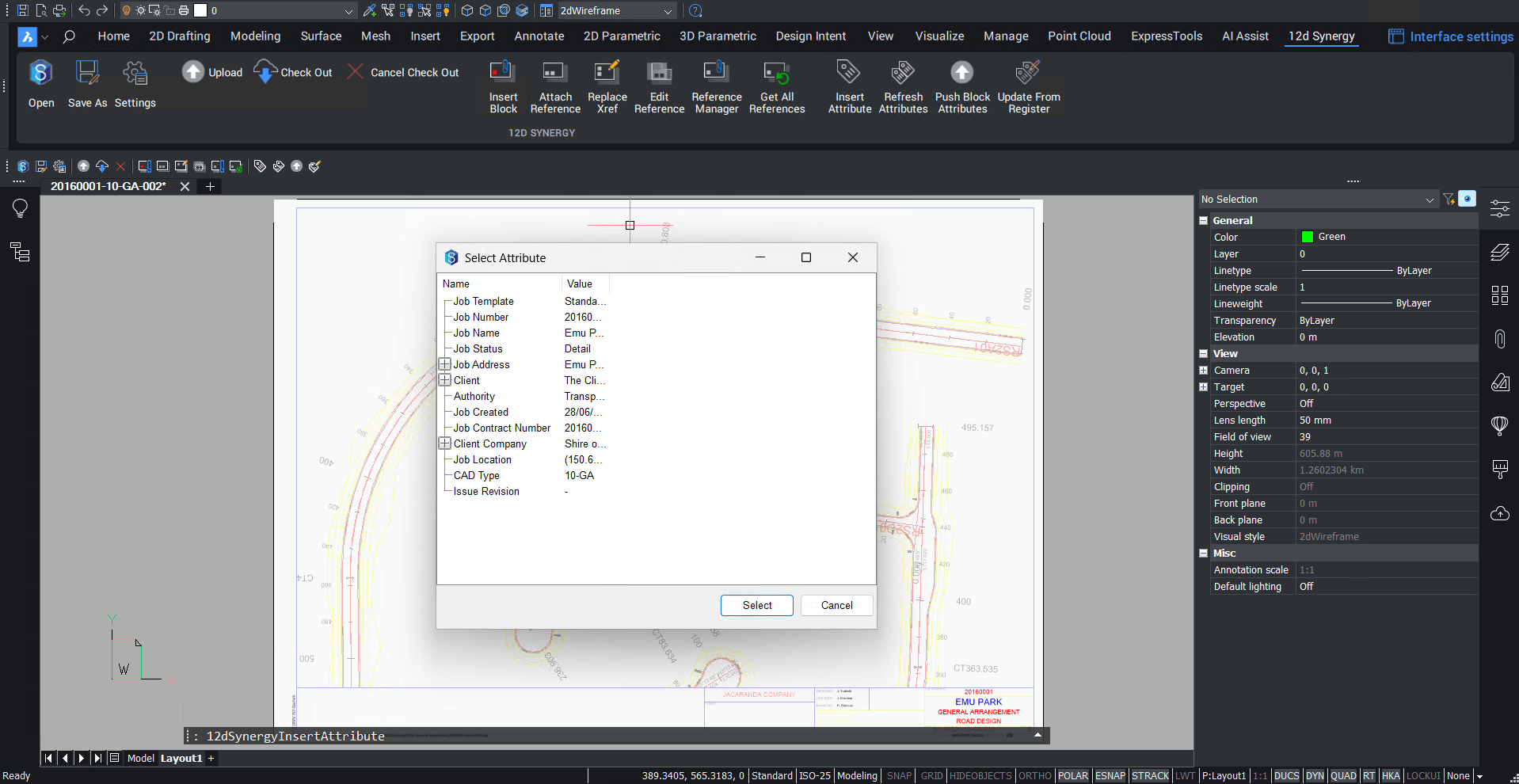
Drop 12d Synergy attributes into the drawing as live fields. Update the value once and every drawing catches up.
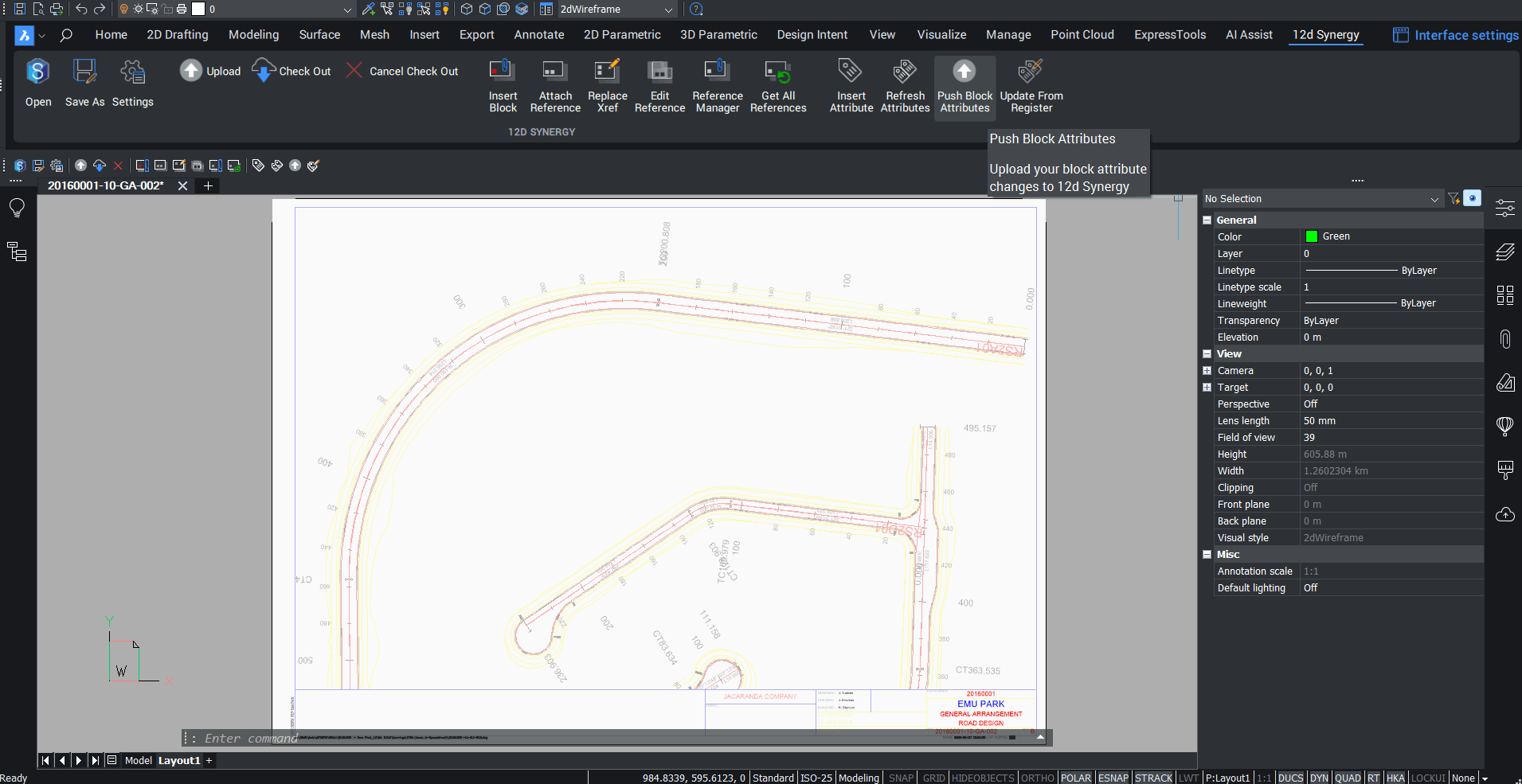
Push Block Attributes in BricsCAD

Push Block Attributes

Change an attribute in the drawing and push it back to 12d Synergy in one click, so your CAD and your data stay in step.
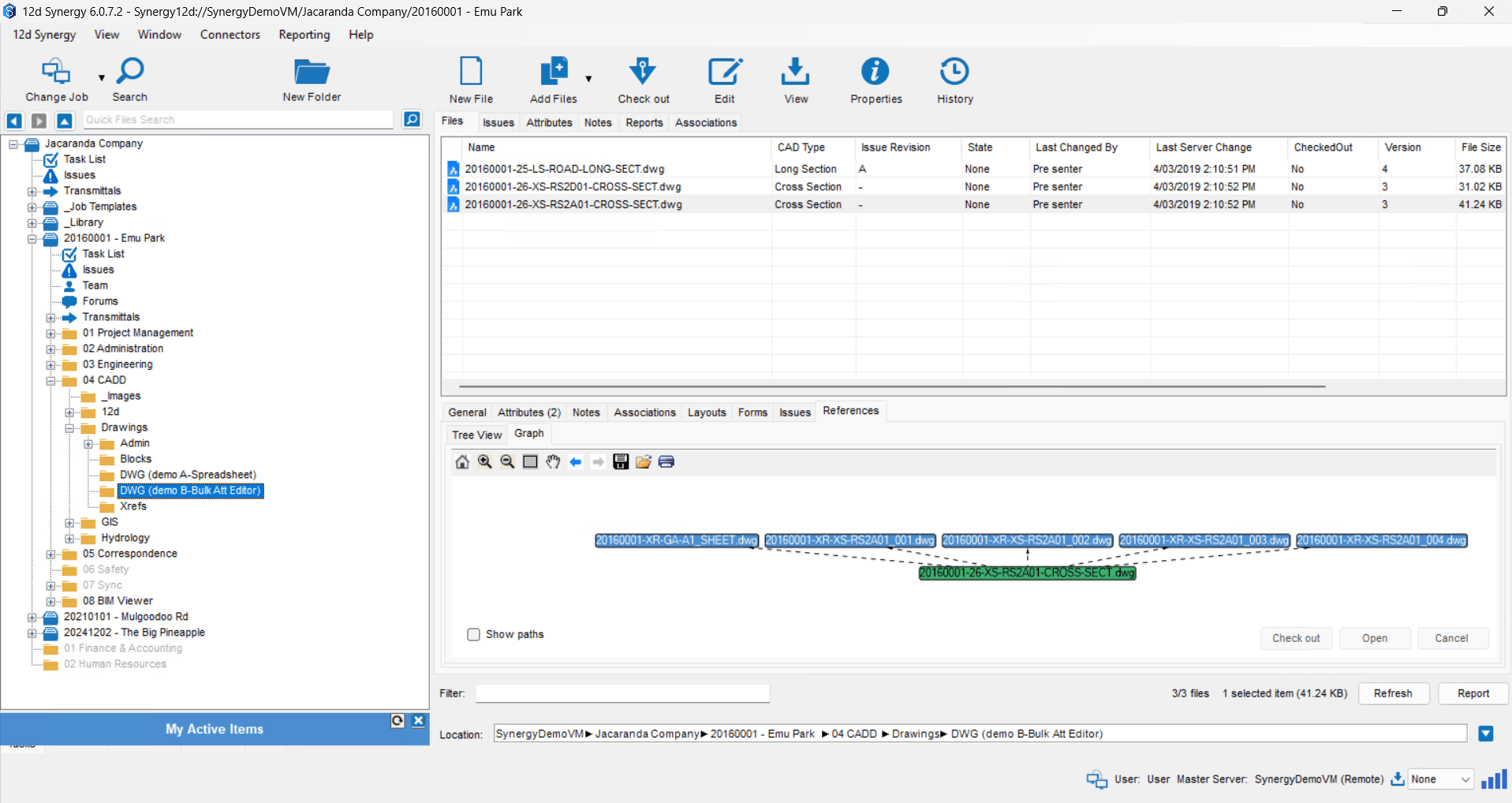
Attach References with Synergy Pathing in BricsCAD

Attach References with Synergy Pathing

Attach Xrefs, images and PDFs with tracked paths. Move or rename the source in 12d Synergy and the link still holds.
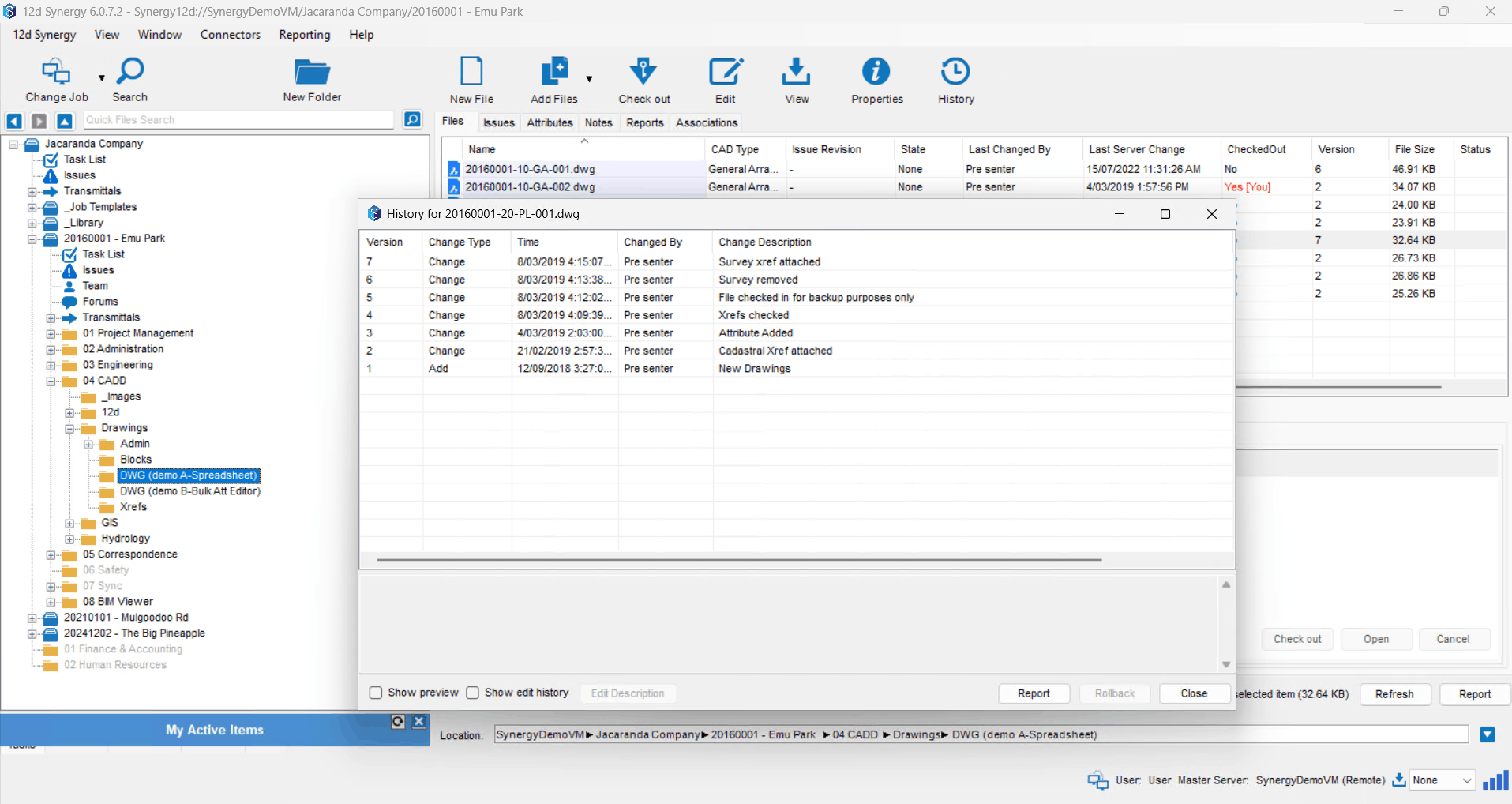
Audit Trail in BricsCAD

Audit Trail

Every check-out, edit and publish is logged against the file, so a disputed drawing always has a history.

Upload Working Copy in BricsCAD

Upload Working Copy

Send a working copy back to 12d Synergy while the file stays open, so progress is saved without breaking your flow.
Customer Success Stories

“When we discovered that 12d Synergy integrated with BricsCAD, it was a major advantage. The integration streamlined CAD management by managing Xrefs, title blocks, and PDF publishing within BricsCAD, ensuring version rollback to revert to previous drawing states and creating a seamless workflow between BricsCAD and 12d Synergy.”

Mark Clews, Woods

Mark Clews

AutoCAD/12d Technical Manager, Woods

Read Their Story

See it on your own drawings

We'll walk your team through the BricsCAD integration end to end and answer anything specific to how you work.

Common Questions From Design Teams

Does the integration work inside BricsCAD or do I need to switch between applications?

The integration lives directly in the BricsCAD ribbon. You can open files, check in and out, manage references, and publish drawings without ever leaving your CAD environment.

Will this change the way my team currently works in BricsCAD?

No, BricsCAD stays exactly as it is. The integration adds a 12d Synergy panel to your ribbon that connects your drawings to a governed CDE. Your team keeps working the way they always have, just with better version control and audit trails running in the background.

What happens if two people try to edit the same drawing at the same time?

When a team member checks out a file, it's locked so no one can overwrite it. Others can still open it in read-only mode. Once it's checked back in, the new version is saved automatically with a full history.